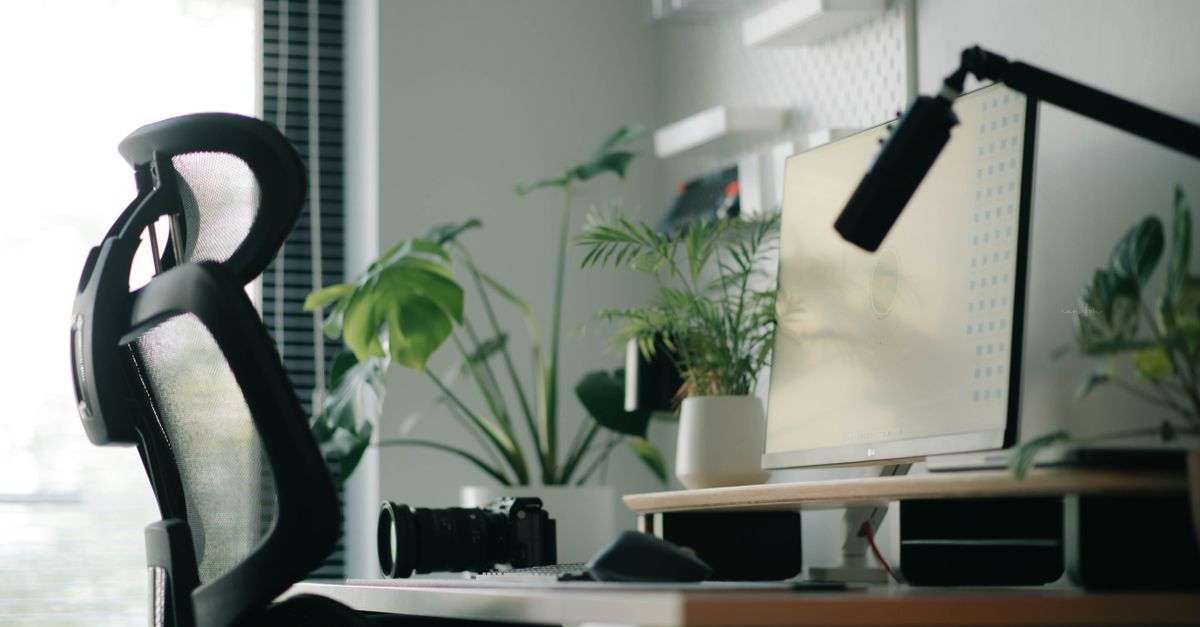
Why Your Home Office Chair Is Killing Your Back (And What Actually Works for Real Comfort)
Are you constantly shifting in your home office chair, trying to find a comfortable position that doesn’t send a familiar ache shooting up your spine by midday? You’re not alone. The promise of the ‘ergonomic office chair’ has become almost a mantra for anyone working from home, leading countless individuals to invest hundreds, even thousands, into what they believe is the solution to their desk-bound woes. Yet, for so many, the pain persists, often worsening over time.
I’ve been there. For years, I bought into the hype, cycling through various “ergonomic marvels” convinced that the next expensive upgrade would finally fix my increasingly stubborn lower back pain and stiff neck. Each time, I felt a fleeting sense of hope on day one, only to find myself slumping, fidgeting, and ultimately, hurting just as much a few weeks later. The mistake I see most often, and one I certainly made, isn’t in what chair people buy, but how they think about sitting, and crucially, what they expect the chair to do for them. A chair, no matter how advanced, is just a tool. If you’re using the wrong technique, or relying on the tool to solve a problem it can’t, you’re going to be disappointed. What changed everything for me was realizing that the chair is only one piece of a much larger, more dynamic puzzle.
Key Takeaways
- Your expensive ergonomic chair alone won’t solve back pain; dynamic movement and proper workstation setup are more crucial.
- Relying solely on a chair fosters a static posture, which is inherently unhealthy, regardless of the chair’s design.
- The best ergonomic approach involves frequently changing positions, incorporating standing, and taking regular movement breaks.
- Investing in education about proper posture and movement is more impactful than endlessly upgrading your office chair.
The Illusion of Perfect Static Posture
The biggest misconception about ergonomic chairs is that they’re designed to help you maintain one ‘perfect’ static posture for hours on end. This couldn’t be further from the truth, and it’s precisely why many people find their pain worsening in these supposedly supportive chairs. Our bodies are designed for movement, not prolonged stillness. Think about it: when you’re driving long distances, even in a comfortable car seat, don’t you still feel the need to stretch and shift?
In my experience, trying to maintain a rigid, ‘ideal’ ergonomic posture for eight hours a day is like trying to hold a plank for the same duration. It’s unsustainable and counterproductive. While the chair might initially guide you into a more upright position, your muscles eventually fatigue. When they do, you either collapse back into old, detrimental habits, or your body subtly tries to compensate, leading to new strains and imbalances. The problem isn’t the chair failing to hold you in position; it’s the expectation that you should be held in one position. Even the most advanced chairs, with all their lumbar support, adjustable armrests, and recline functions, are still promoting a primarily static experience. The human body thrives on variety, on subtle shifts, on the constant interplay of different muscle groups. When we remove that dynamic element, we invite stiffness, poor circulation, and ultimately, pain.
The Sedentary Trap: Why More Features Don’t Equal Less Pain
Many of us fall into the trap of believing that a more expensive chair with more adjustability features will inherently lead to less pain. We compare models, read reviews about 4D armrests, dynamic lumbar support, and advanced tilt mechanisms, convinced that these incremental improvements will be the magic bullet. What we often overlook is that these features are only beneficial if you actively use them to facilitate movement and variety, rather than to lock yourself into a single, albeit ‘ergonomic,’ position.
I vividly remember buying a chair that boasted 12 different adjustment points. I spent an entire afternoon meticulously setting each one, feeling incredibly virtuous about my ‘perfect’ setup. For a day or two, it felt amazing. Then, slowly, imperceptibly, I stopped adjusting. I found my ‘sweet spot’ and stayed there. Within a month, the familiar aches were back, often localized in new, unexpected places because my body had adapted to that one perfect position, and any deviation felt uncomfortable. The hidden cost here isn’t just the financial investment; it’s the opportunity cost of not exploring truly dynamic solutions. We spend so much energy optimizing the sit, when the real optimization lies in not sitting still.
Consider this: a study published in the Journal of Physical Therapy Science in 2018 highlighted that frequent changes in sitting posture, rather than prolonged maintenance of a single ‘correct’ posture, were more beneficial for reducing muscle fatigue and discomfort. Your chair might offer infinite adjustments, but if you’re not constantly making small, intentional shifts, if you’re not leaning back, leaning forward, side-to-side, or even standing up every 20-30 minutes, those features are effectively useless. They become comfort blankets that lull you into a false sense of security while your body slowly rebels against the forced stillness.
The Overlooked Power of Dynamic Movement and Micro-Breaks
The true secret to lasting comfort and back health in a home office isn’t found in a chair, but in your habits. What actually works is embracing dynamic movement and integrating micro-breaks throughout your day. This isn’t groundbreaking news; physical therapists and ergonomists have preached it for decades. Yet, in our quest for the perfect gadget, we often ignore the most effective, and often free, strategies.
After years of struggling, I started implementing a system of deliberate movement. Every 20-30 minutes, regardless of how engrossed I was in my work, I’d either stand up for a minute or two, do a quick stretch, or change my sitting posture dramatically. This often meant shifting from an upright, engaged posture to a fully reclined one, then to a forward-leaning posture (sometimes perching on the edge of my chair), and then standing for a brief period. This constant, subtle movement kept my blood flowing, engaged different muscle groups, and prevented any single area from bearing the brunt of static load for too long.
Here’s a practical breakdown of how I integrated this, and what you can do:
- The 20-20-20 Rule (Adapted): Every 20 minutes, stand up for 20 seconds and look 20 feet away (to rest your eyes). I adapted this to also include changing my sitting position. Set a silent timer on your phone or use a browser extension. When it goes off, don’t just ignore it. Stand up, stretch your arms overhead, do a few shoulder rolls, maybe a gentle backbend. Then, if you’re sitting, actively change your chair’s angle or height for the next 20 minutes.
- Active Sitting Options: Consider supplementing your main chair with alternative seating options. This doesn’t mean buying another expensive chair. It could be a simple balance ball (used for short periods, not all day!), a kneeling chair (again, not all day), or even a firm cushion that encourages a more active sit. The goal is variety.
- Standing Desk Integration: A standing desk is not a magic bullet, but it’s a powerful tool for dynamic movement. Crucially, don’t just stand all day. Alternate between sitting and standing, ideally every 30-60 minutes. When standing, ensure your monitor is at eye level and your keyboard/mouse are at elbow height, just like your sitting setup. I found using an anti-fatigue mat while standing made a huge difference.
The real insight here is that you become your own ergonomic monitor. Instead of relying on a chair to force you into good posture, you cultivate the habit of dynamic posture and frequent movement. This mental shift is far more powerful and sustainable than any chair upgrade.
Your Workstation, Not Just Your Chair: A Holistic Approach
Many focus almost exclusively on the chair, ignoring other critical elements of their workstation that contribute significantly to discomfort. A fantastic chair won’t fix a poorly positioned monitor, a keyboard that forces awkward wrist angles, or a mouse that leads to shoulder strain. It’s about the entire ecosystem.
When I finally understood this, I took a holistic look at my entire setup. What I found were several glaring issues I’d been overlooking:
- Monitor Height and Distance: My monitor was too low, forcing me to crane my neck down. Raising it so the top third of the screen was at eye level, and positioning it about an arm’s length away, immediately relieved neck strain. This often requires a monitor arm or a stack of books, not a new chair.
- Keyboard and Mouse Positioning: My keyboard was too far away, causing me to reach, which tensed my shoulders. Bringing it closer, ensuring my elbows were at a 90-degree angle and relaxed at my sides, made a huge difference. I also switched to an ergonomic mouse that fit my hand better and reduced wrist strain. Crucially, ensure your armrests (if your chair has them) support your elbows at the same height as your keyboard, preventing shoulder shrug.
- Foot Support: Even with a good chair, if your feet aren’t flat on the floor (or a footrest), it can put pressure on your lower back. My legs were too short for my desk, so a simple footrest provided the necessary support and improved my posture.
- Lighting: Believe it or not, poor lighting contributes to eye strain, which can lead to leaning forward and bad posture. Ensuring adequate, non-glare lighting in my workspace helped reduce this subtle but constant source of tension.
These adjustments, often inexpensive or even free, had a more profound impact on my comfort than any single chair purchase ever did. They created an environment where good, dynamic posture was easier to maintain, rather than being an uphill battle against an unsupportive environment.
The Investment That Pays Off: Movement Education Over Material Upgrades
If you’re still chasing the ‘perfect’ chair, I encourage you to pause. The most valuable investment you can make isn’t in another piece of furniture; it’s in understanding your own body and how to move it correctly, even within a sedentary work environment. This means shifting your mindset from a passive reliance on equipment to an active engagement with your own biomechanics.
Think about allocating that chair budget towards resources that empower you with knowledge and practical techniques:
- Consult a Physical Therapist or Ergonomics Specialist: This was a game-changer for me. A professional can assess your specific body, identify your unique postural habits, and recommend targeted exercises and workstation adjustments. They can highlight muscle imbalances you didn’t even know you had. This personalized feedback is invaluable and something no product review can offer. For a few sessions, the cost might be comparable to a mid-range ergonomic chair, but the long-term benefits are far superior.
- Learn Proper Stretching and Strengthening Exercises: Incorporate simple stretches for your neck, shoulders, back, and hips into your daily routine. Strengthening your core and glutes can provide a natural ‘support system’ that far surpasses any chair’s lumbar pillow. Online resources, guided apps, or even a local yoga/pilates class can offer foundational knowledge.
- Focus on Body Awareness: Start paying attention to how you feel throughout the day. When do you start to slouch? What triggers your pain? This self-awareness is the first step toward correcting habits. In my experience, once I started truly listening to my body, I could preempt discomfort before it became debilitating.
The real ergonomic revolution happens when you take ownership of your body’s health, rather than outsourcing it to a piece of furniture. It’s about recognizing that your body is a marvel of adaptation, but it thrives on varied inputs, not static demands. Start small, be consistent, and you’ll find relief that no chair, however expensive, can truly deliver on its own.
Frequently Asked Questions
Q: Is there any ergonomic chair that actually works for prolonged sitting?
A: No chair is designed for prolonged static sitting. The best ergonomic chairs facilitate dynamic movement and offer adjustability to support a variety of postures. However, their effectiveness still hinges on the user actively changing positions and taking breaks. The chair’s role is to support you when you do sit, not to keep you comfortably still for hours.
Q: How often should I take breaks from sitting?
A: Aim for at least a micro-break (standing, stretching, changing posture) every 20-30 minutes. Take a more significant break (5-10 minutes of walking or light activity) every hour or two. Consistent, short breaks are more effective than one long break at the end of the day.
Q: What is the single most important workstation adjustment I can make?
A: While all elements are important, ensuring your monitor is at the correct height (top third of the screen at eye level) and distance (arm’s length) is often the most impactful for neck and upper back pain. This alone can prevent significant strain.
Q: Can a standing desk solve all my back pain issues?
A: A standing desk is an excellent tool for increasing movement variety, but it’s not a complete solution on its own. Standing for too long can also lead to fatigue and discomfort. The key is to alternate between sitting and standing, using an anti-fatigue mat when standing, and maintaining proper posture in both positions.
Q: Should I get a balance ball or kneeling chair for my home office?
A: These can be beneficial for short periods to introduce variety and engage different core muscles. However, they are generally not recommended for full-day use as they can lead to fatigue or other compensatory postures if used improperly or exclusively. Integrate them as part of a dynamic seating strategy, not as a primary, all-day solution.
Ultimately, lasting comfort in your home office isn’t about finding the ‘perfect’ chair; it’s about cultivating mindful movement, optimizing your entire workstation, and investing in your body’s innate capacity for dynamic health. Stop waiting for the chair to fix you, and start moving towards a pain-free work life. Your back will thank you.
Written by Mark Henderson
Life Skills and Practical Wisdom
Drawing from decades as an educator, Mark offers grounded advice on personal development and problem-solving.
You Might Also Like

Why Your DIY Furniture Makeover Chips and Peels (And The Prep Secrets I Learned for a Pro Finish)
Stop furniture paint from chipping. Learn the crucial prep steps I discovered that guarantee a lasting, professional-looking DIY furniture makeover.

Why Your DIY Furniture Makeover Chips and Peels (And How to Get a Lasting, Pro Finish)
Stop your DIY furniture makeovers from peeling! Learn the crucial prep steps and pro painting techniques for a durable, professional-looking finish.

Why Your DIY Gardening Fails Most People (And What Actually Works for a Thriving Harvest)
Discover why common DIY gardening advice falls short and learn the counter-intuitive strategies that guarantee a bountiful, healthy harvest.